Apa itu PowerDNS?
PowerDNS adalah sebuah software DNS (Domain Name Server), terdapat dua versi yaitu open-source dan komersial. PowerDNS digunakan untuk membuat DNS otoritatif, DNS Rekursif, DNS load balancing, debugging tools, serta API untuk menyediakan zone dan record.
Saat ini kita akan melakukan setting DNS menggunakan powerdns dan instalasi graphic interface menggunakan powerdns admin di sistem operasi ubuntu 22.04.
Persiapan:
Pada tutorial ini, kita akan menggunakan VPS KVM dari herza.id dengan detail sebagai berikut:
- OS Ubuntu 22.04
- Core CPU
- 2 GB RAM
- 40 GB Disk
1. Update dan Upgrade
Sebelum melakukan instalasi PowerDNS lebih baik untuk melakukan update repository dan upgrade service yang ada. Update dan Upgrade:
sudo apt update && sudo apt upgrade -y
2. Instal MariaDB
Sebelumnya kita instal terlebih dahulu aplikasi untuk mengakses repository MariaDB:
apt install software-properties-common gnupg2 -y
Import terlebih dahulu key repository (kunci repositori) MariaDB:
apt-key adv --fetch-keys 'https://mariadb.org/mariadb_release_signing_key.asc'
Barulah instal MariaDB:
sudo apt install nginx -y
apt install mariadb-server -y
3. Buat Database dan User Database Untuk PowerDNS di MariaDB
Pada langkah ini, database akan dinamai “pdns” dan user database bernama “pdnsadmin” dengan password “123”. Nama database dan user database tersebut disarankan juga untuk diikuti agar lebih mudah, dan password dapat diatur lebih rumit.
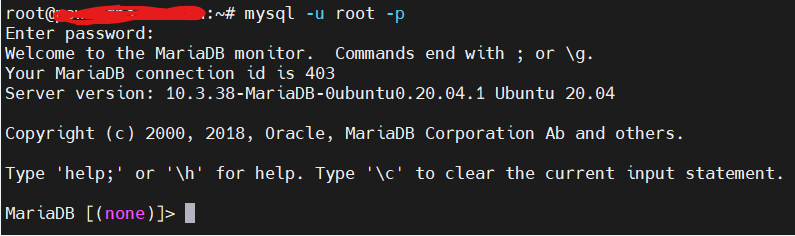
Pertama, masuk ke dalam MariaDB dengan menjalankan perintah berikut:
mysql -u root -p
Kemudian masukan password user database root.
Selanjutnya, buat database:
create database pdns;
grant all privileges on pdns.* to pdnsadmin@localhost identified by '123';
flush privileges;
exit
4. Ubah Nameserver Resolv.conf
echo "nameserver IP_SERVER" > /etc/resolv.conf
5. Instal dan Konfigurasi PowerDNS
apt install pdns-server pdns-backend-mysql -y
Buat database beserta struktur tabelnya menggunakan template yang tersedia di dalam directory /usr/share/pdns-backend-mysql/schema/. Dengan perintah:
mysql -u pdnsadmin -p123 -D pdns < /usr/share/pdns-backend-mysql/schema/schema.mysql.sql
Buat file koneksi PowerDNS ke dalam database MariaDB di dalam path directory etc/powerdns/pdns.d dengan nama pdns.local.gmysql.conf dengan menjalankan perintah:
vim /etc/powerdns/pdns.d/pdns.local.gmysql.conf
Kemudian isi file tersebut dengan konfigurasi sebagai berikut:
# MySQL Configuration
#
# Launch gmysql backend
launch+=gmysql

# gmysql parameters
gmysql-host=127.0.0.1
gmysql-port=3306
gmysql-dbname=pdns
gmysql-user=pdnsadmin
gmysql-password=123
gmysql-dnssec=yes
# gmysql-socket=
Ubah izin akses file koneksi yang telah dibuat menjadi 6 (read dan write) untuk user, 4 (read) untuk group dan 0 (-) untuk other:
chmod 640 /etc/powerdns/pdns.d/pdns.local.gmysql.conf
Kemudian hentikan service PowerDNS terlebih dahulu dan periksa lognya:
systemctl stop pdns
pdns_server --daemon=no --guardian=no --loglevel=9

Ketika melihat log, setidaknya terdapat informasi seperti gambar di atas yang menunjukkan bahwa koneksi PowerDNS dengan database MariaDB berhasil.
Setelah diperiksa dan koneksi berhasil, jalankan kembali service PowerDNS:
systemctl start pdns
6. Instal Poweradmin
Poweradmin adalah user interface dari PowerDNS dengan basis website. Dengan Poweradmin, kita akan dipermudah dalam melakukan konfigurasi zone, records, dan segala hal yang diperlukan dalam konfigurasi nama domain. Poweradmin ini dikembangkan secara perorangan yang dipublikasi di github dengan akses bebas.
Sebelum mengambil sumber kode terbuka Poweradmin yang ada di github, diperlukan instalasi beberapa service dan dependencies. Jalankan perintah di bawah ini:
apt install -y wget apache2 gettext libapache2-mod-php php php-common php-curl php-dev php-gd php-pear php-imap php-mysql php-xmlrpc php-intl
Beberapa service penting yang diinstal antara lain web server apache2, wget untuk mengambil file di internet menggunakan link, dan php beserta beberapa modulnya.
Kemudian install ekstensi database yang diambil dari repository PHP:
pear install DB
Restart service web server apache2:
systemctl restart apache2.service
Download paket kode Poweradmin:
wget https://github.com/poweradmin/poweradmin/archive/refs/tags/v3.4.1.tar.gz
Gunakan Poweradmin versi 3.4.1 yang sesuai dengan langkah-langkah dan sudah teruji dalam artikel ini.
Ekstrak file archive yang sudah didownload:
tar xvzf v3.4.1.tar.gz
Pindah folder/direktori Poweradmin ke dalam direktori Apache:
mv poweradmin-3.4.1 /var/www/html/poweradmin
Ubah kepemilikan direktori Poweradmin menjadi milik user webserver:
chown -R www-data:www-data /var/www/html/poweradmin/
7. Konfigurasi Poweradmin
Setelah selesai melakukan instalasi Poweradmin, akses IP server tersebut menggunakan browser untuk melakukan konfigurasi Poweradmin.
http://IP_SERVER/poweradmin/install/
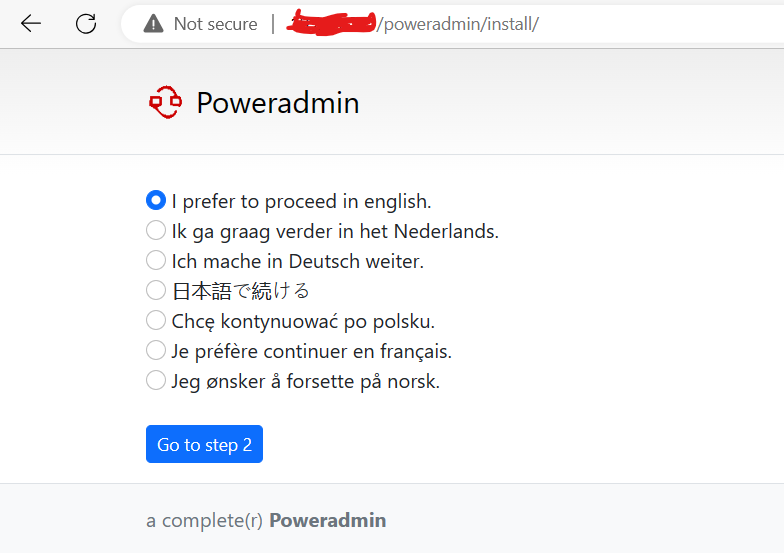
Pilih bahasa yang ingin digunakan. Gambar di atas memilih bahasa inggris sebagai bahasa yang akan digunakan Poweradmin. kemudian klik Go to step 2.
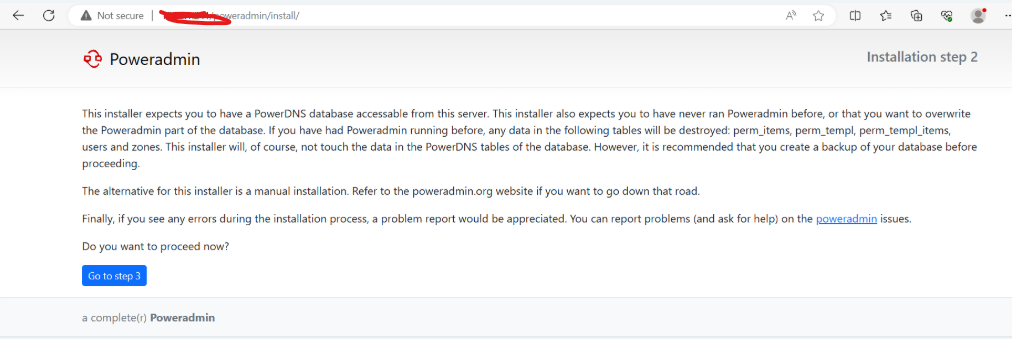
Pada halaman kedua, diberitahukan bahwa sebelum melakukan instalasi harus memiliki PowerDNS database yang dapat diakses dan belum pernah menjalankan Poweradmin sebelumnya. Jika sebelumnya terdapat data di dalam database, maka data-data tersebut akan dihapus. Maka sangat direkomendasikan untuk membuat cadangan database sebelum melakukan instalasi Poweradmin.
Klik Go to step 3 untuk melanjutkan insatalasi.
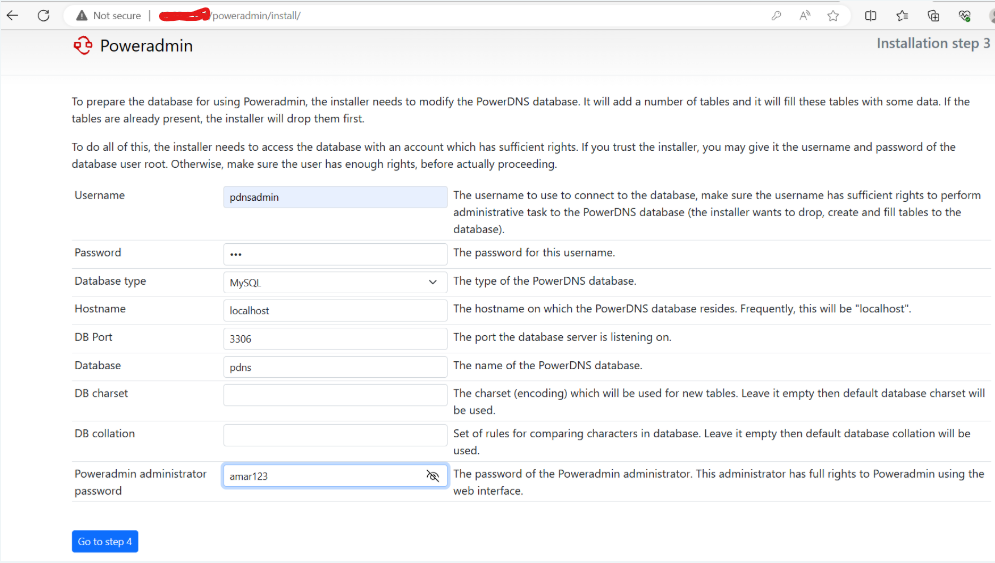
Pada tahap ketiga, isi form sesuai dengan konfigurasi database yang telah disiapkan sebelumnya pada tahap instalasi PowerDNS. Data yang disikan pada formulir tersebut digunakan oleh Poweradmin untuk mengakses database.
- Username: user database yang telah dibuat untuk database PowerDNS
- Password: password user database PowerDNS
- Hostname: localhost / IP server
- DB Port: port yang digunakan MariaDB (default port 3306)
- Database: nama database PowerDNS
- DB charset dan collation: jika ada character set tertentu yang digunakan (default kosong)
- Poweradmin administrator password: password dari user “admin” yang digunakan untuk login
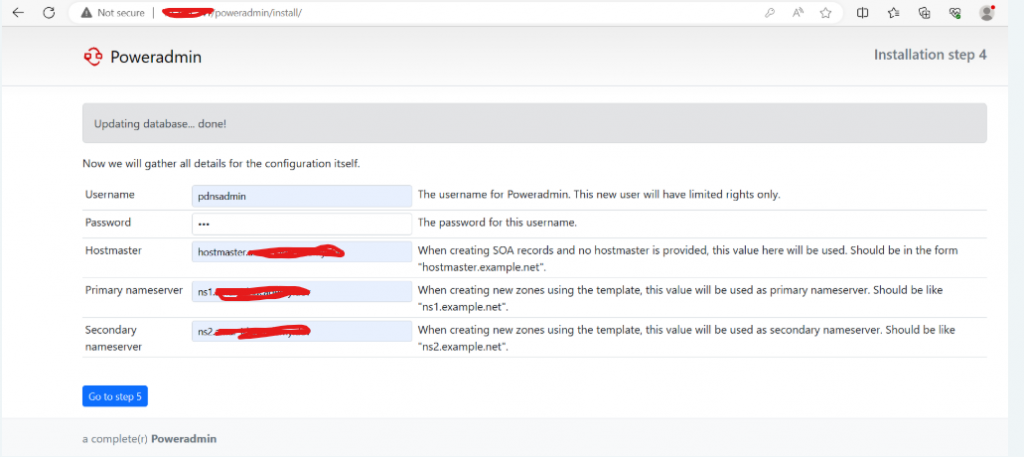
Pada tahap kelima, isi formulir sesuai dengan user database dan password user database Poweradmin. Pada isian hostmaster nantinya akan dijadikan nama domain utama yang memiliki second dan top-level domain yang disebut dengan Fully Qualified Domain Name (FQDN). Dan juga isi primary dan secondary nameserver yang digunakan untuk memberi informasi record domain.
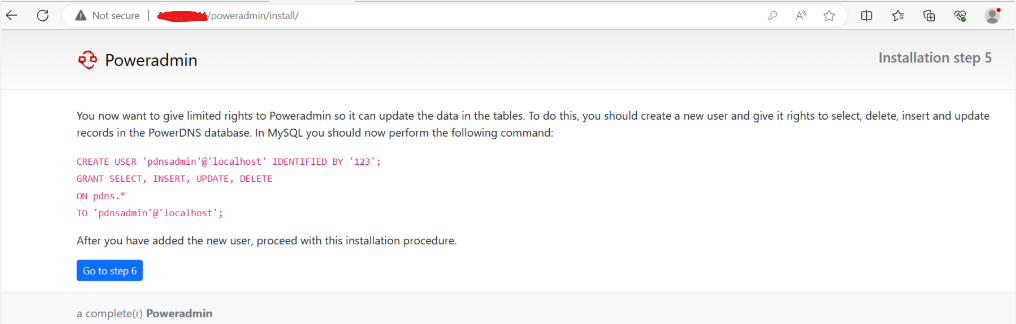
Pada bagian ini langsung klik Go to step 6 jika sebelumnya sudah membuat database beserta user database yang digunakan PowerDNS.
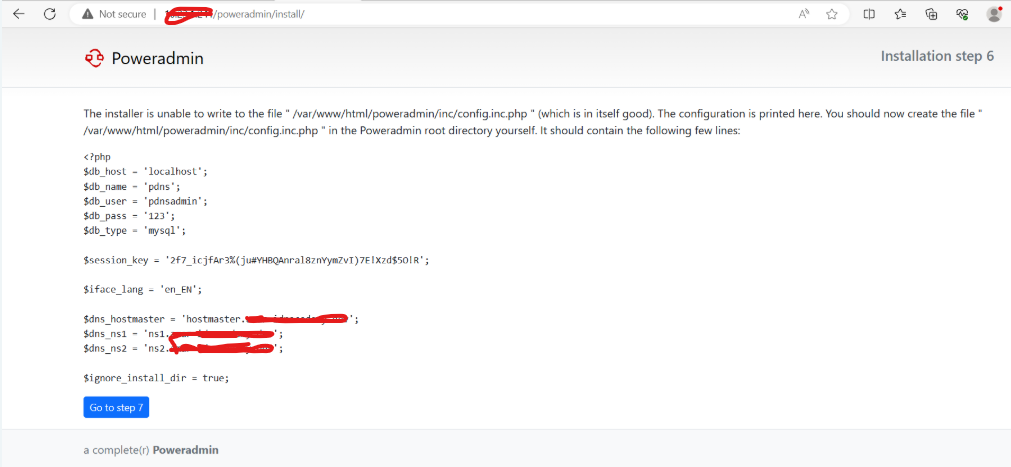
buat file konfigurasi di dalam directory web Poweradmin:
vim /var/www/html/poweradmin/inc/config.inc.php
Kemudian masukkan konfigurasi Poweradmin:
<?php
$db_host = 'localhost';
$db_name = 'pdns';
$db_user = 'pdnsadmin';
$db_pass = '123';
$db_type = 'mysql';

$session_key = '2f7_icjfAr3%(ju#YHBQAnral8znYymZvI)7E!Xzd$5O!R';

$iface_lang = 'en_EN';

$dns_hostmaster = 'hostmaster.domain_anda';
$dns_ns1 = 'ns1.domain_anda';
$dns_ns2 = 'ns2.domain_anda';

$ignore_install_dir = true;
Setelah itu, klik Go to step 7 kemudian klik login to Poweradmin.
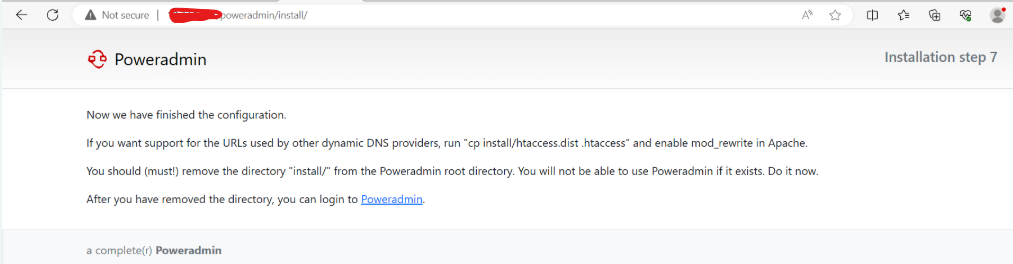
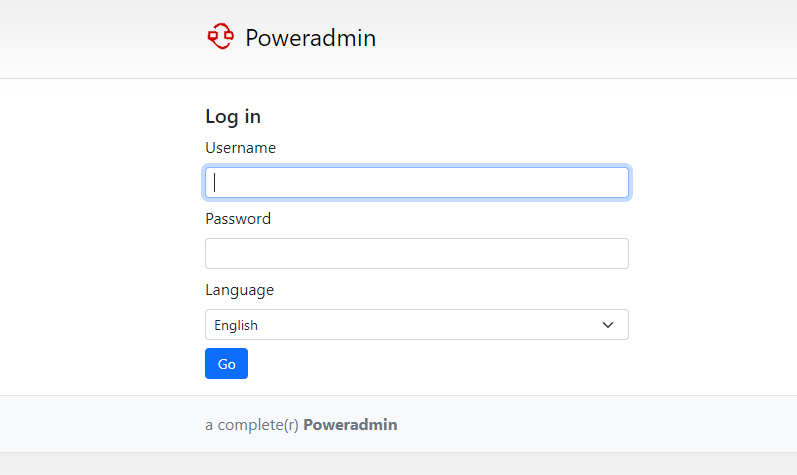
Sampai langkah ini konfigurasi sudah selesai dan Poweradmin siap digunakan. Login gunakan Username “admin” dengan password yang sudah di buat pada tahap halaman ketiga ketika instalasi.
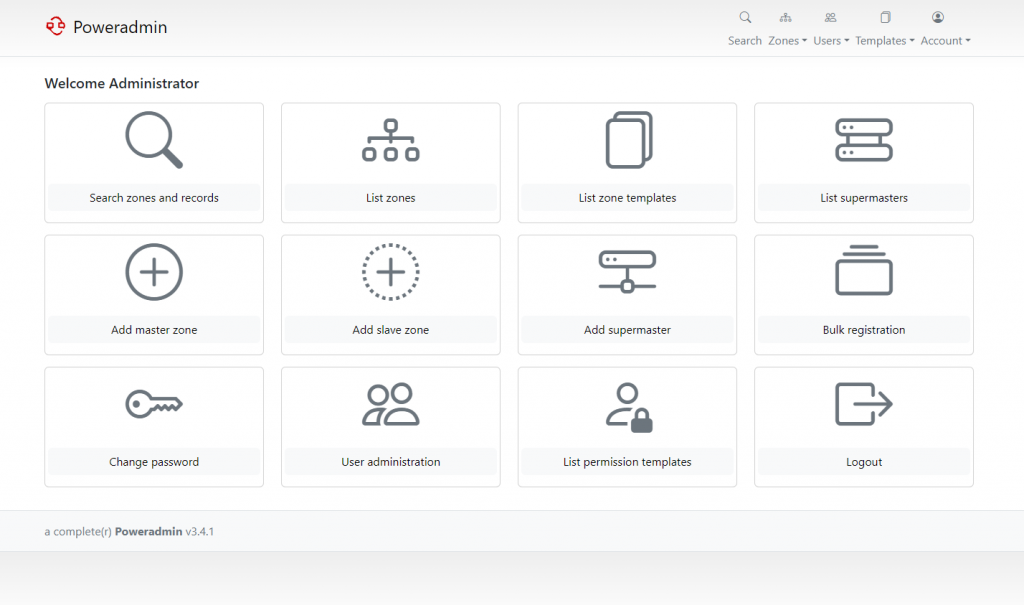
Tampilan awal setelah Login:
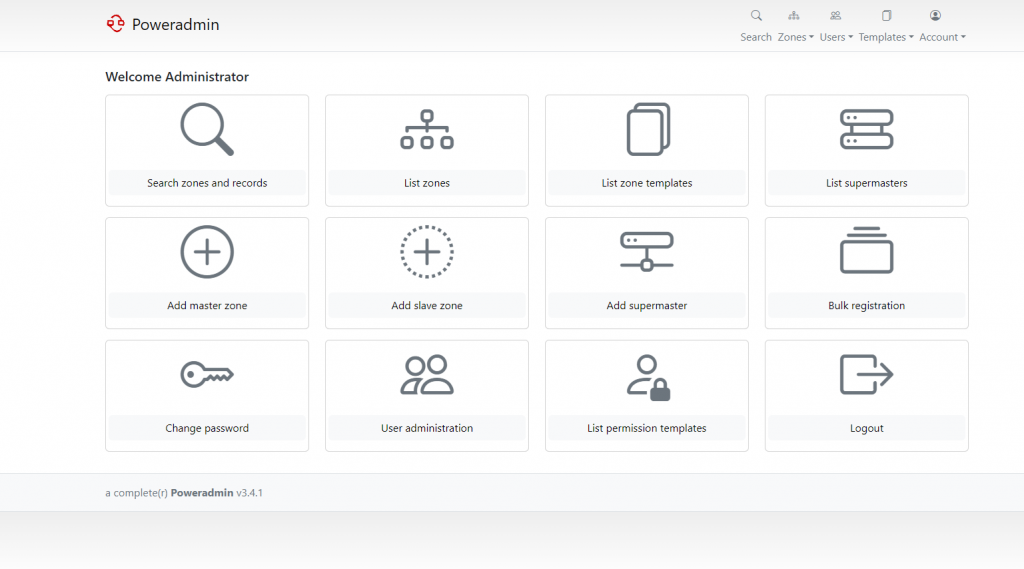
Cara Menggunakan Poweradmin
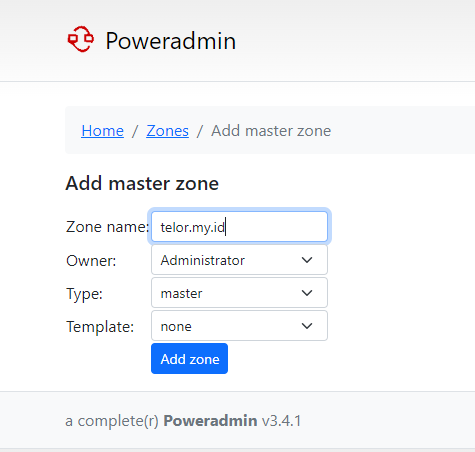
Sebagai contoh, kita akan membuat record zone dengan hostname telor.my.id
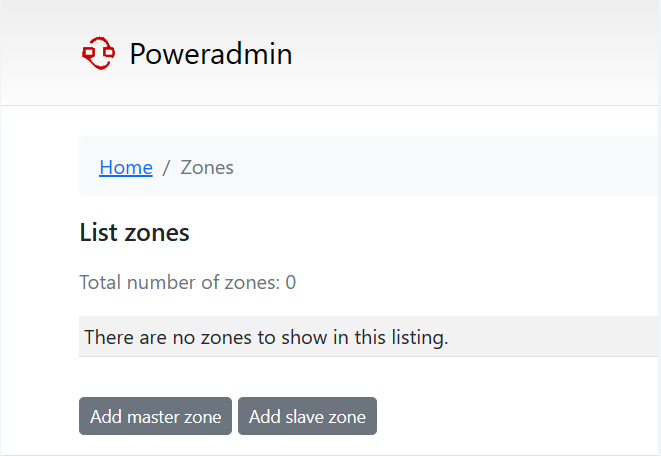
Pertama-tama, pergi ke menu List zones:
Klik Add master zone untuk membuat forward zone:
Kemudian, isi zone name dengan domain yang diinginkan dengan type master:
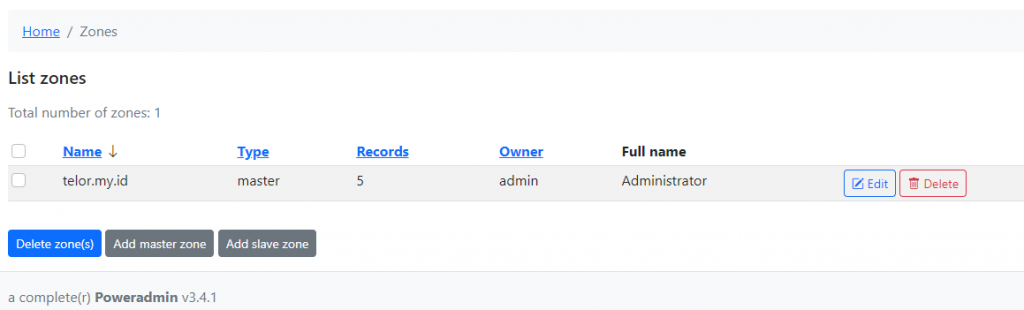
Membuat Forward Zone
Setelah itu, klik edit pada forward zone yang telah dibuat:
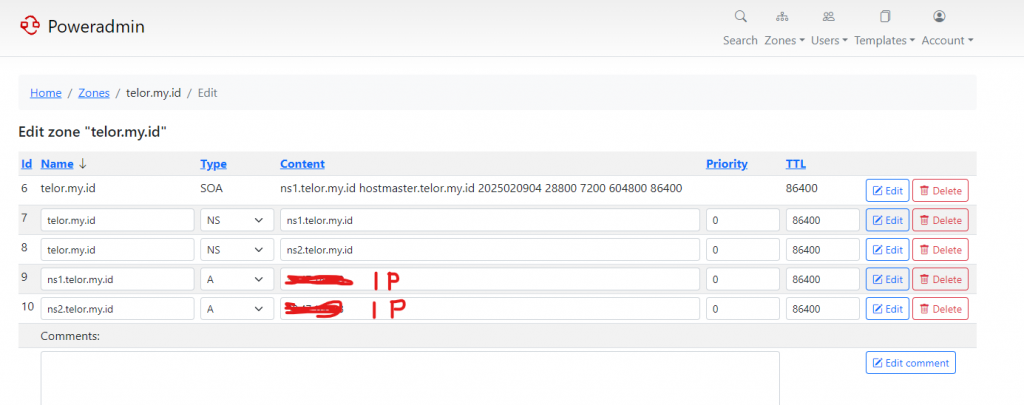
Buat NS (Name Server) Record yang digunakan oleh server untuk mengidentifikasi dimana record domain disimpan.
Bisa ikuti Record berikut:
Pengujian
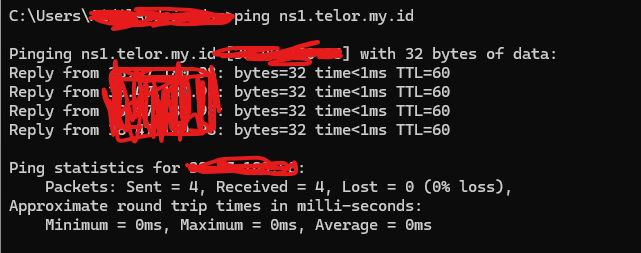
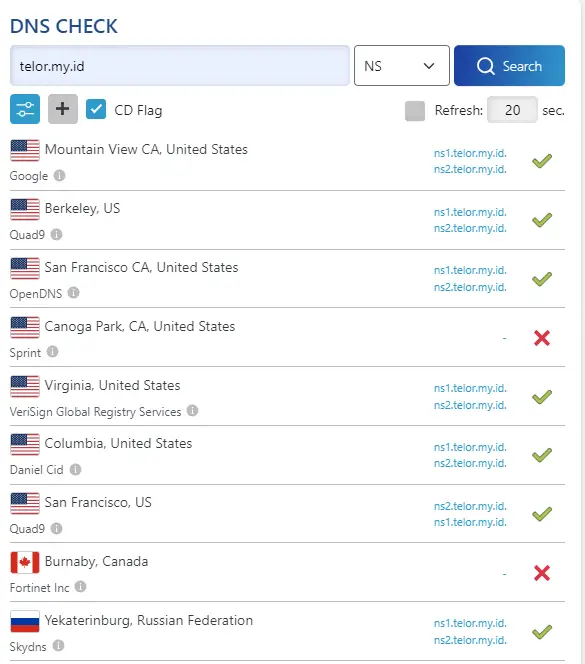
Pengujian dapat dilakukan dengan nslookup atau menggunakan https://dnschecker.org.